Mippy & Co's Water Rescue
Final Report
Team 18: Ann Basil, Ben Bliss, David Hernandez, Jinkang Fang
- Final report website: https://jinkang-0.github.io/mippy-co-water-rescue/final/
- Final video: https://drive.google.com/file/d/1iJFu9jtb3LukzTti9OJ5jILQbt392LWH/view
Abstract
For our final project, we made a game in Unity that features real-time interactions with fluid simulations and high-definition terrain. We implemented the PIC/FLIP method for simulating fluid dynamics and employed signed distance fields to implement terrain collisions by computing distance gradients for each particle. We also created different levels to showcase fluid dynamics under different layouts.
Technical Approach
To setup the project, we created a blank Unity project and imported a basic open source particle renderer alongside some boilerplate code to work with compute shaders. Everything else was built from scratch in C# and HLSL, including the fluid simulation, terrain collisions and destruction, and level creation. We used Unity's built-in UI system and scene management system to make the game easy to navigate and play.
Fluid Simulation
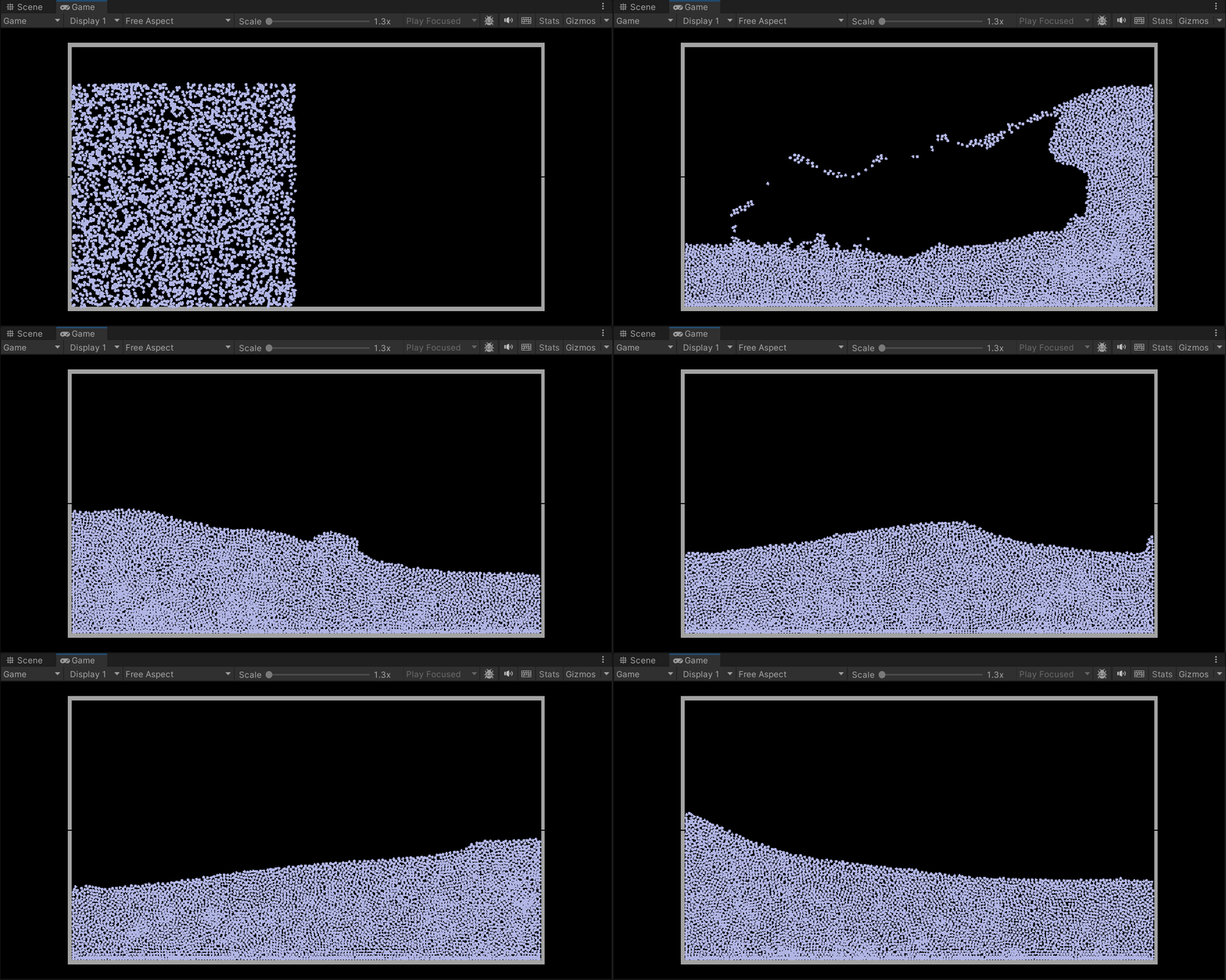
For fluid simulation, we used a method called PIC/FLIP, which uses particle positions and velocities to approximate the fluid volume, but uses a grid to solve for fluid incompressibility. As a result, we obtain both the smooth fluid-like motion from the grid approach and the benefits of finer details from particle positions.
We use a “marker-in-cell” (MAC) grid, which offsets the grid and stores the cell velocities at the center of its edges rather than at the center of each cell. This allows cells to share velocities and more effectively solve for incompressibility. Between each transfer, we perform bilinear interpolation to weight the contribution of each particle's velocity by its distance to the center of the edges and vice versa so we can accurately gauge the contributions of velocity.
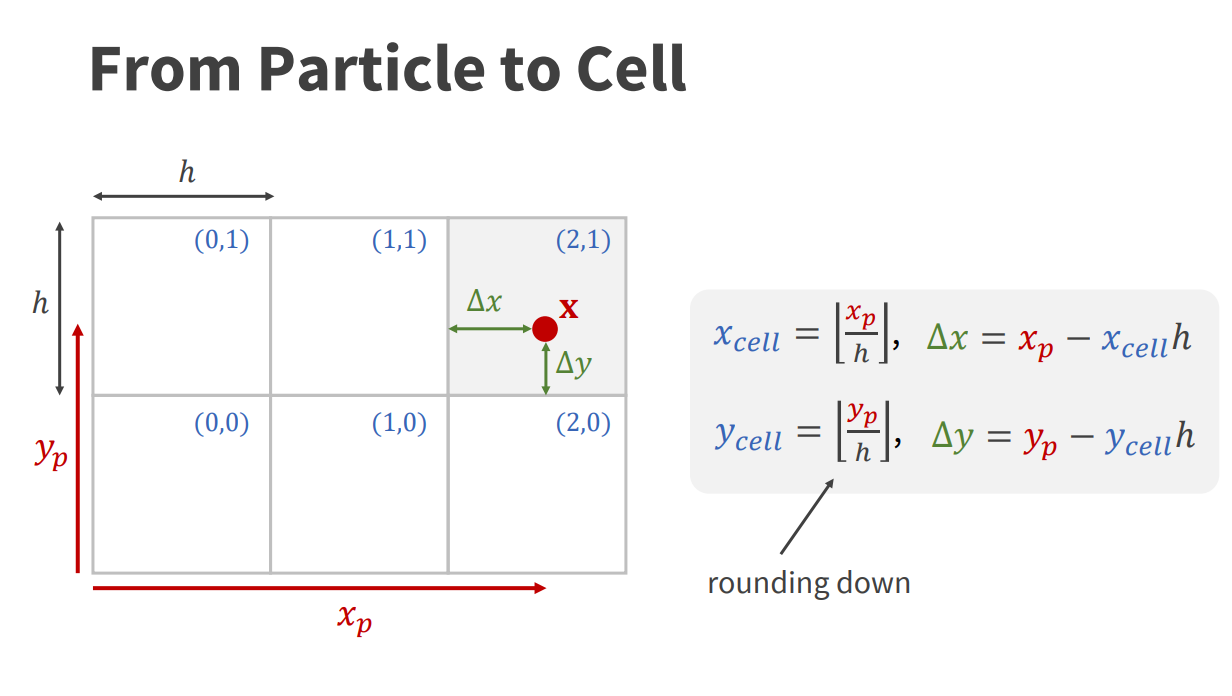
A choice was raised when transferring velocities from the grid to the particles. A simple bilinear interpolation will get us a PIC value, which is smoother but loses detail. Alternatively, we can compute a bilinear interpolation on the change in velocity, which maintains more information about the individual particle movements but could have too much detail. For our purposes, we preferred a smoother fluid motion, which we felt was a better fit for our cartoonish art style, so we only implemented PIC velocity transfer.
Aside from the algorithms mentioned above, this method also involves a drift solver, which ensures that particles do not overlap with each other. This involves both accounting for drift in the incompressibility solver to generate more outward force in dense areas, as well as a particle-to-particle collision check.
A naive approach for particle-to-particle collisions would involve a double for-loop across all particles, twice. This would be far too slow for large quantities of particles. To speed things up, we implemented a spatial hashing algorithm to perform fast searches for nearby particles. The basic idea for this approach is to store a linked list of particles contained within each cell, which would allow us to iterate over only the particles contained in neighboring cells.
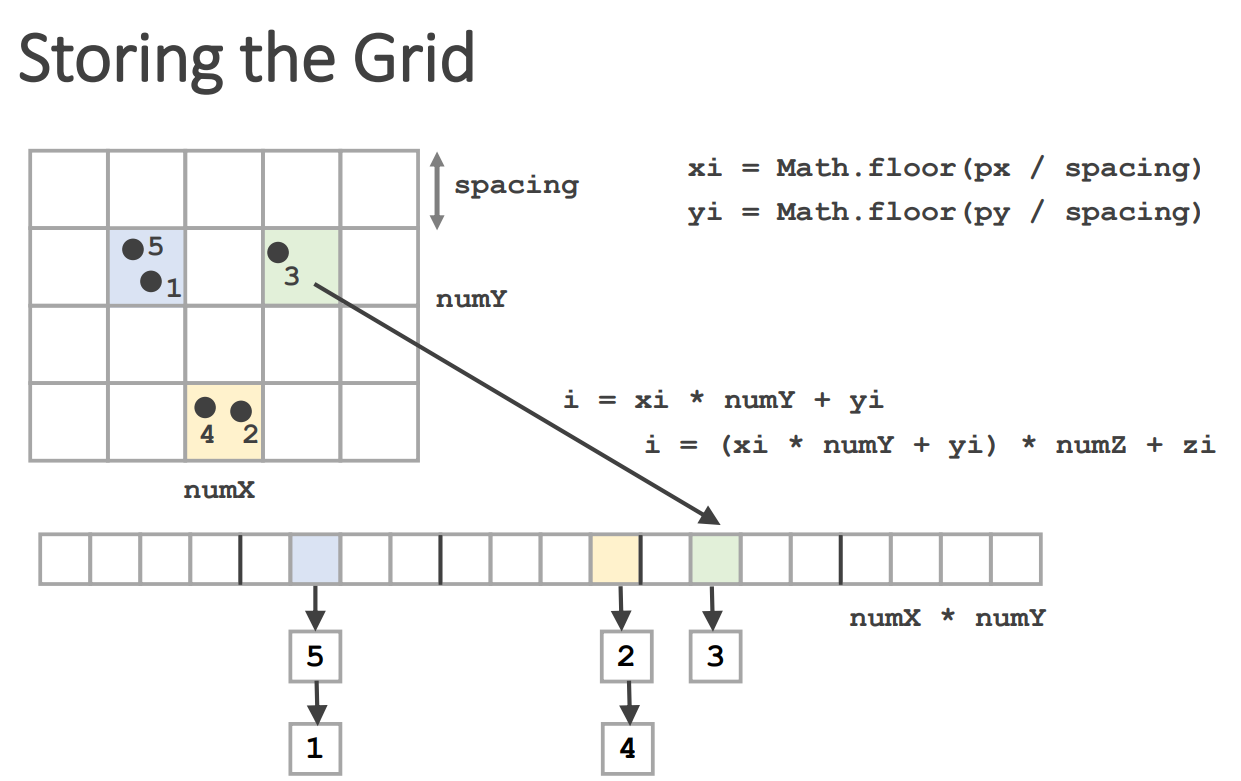
Under the hood, we keep track of three dense arrays to avoid the memory overhead of linked lists. For each cell, we count the number of particles in each cell to determine the number of particle indices each cell would need. Then, we keep a start index lookup that tells us the index to start iterating from for any given partition cell. We can similarly find the end index by getting the start index of the next cell. You can find more implementation details in the spatial hashing presentation by Matthias Müller.
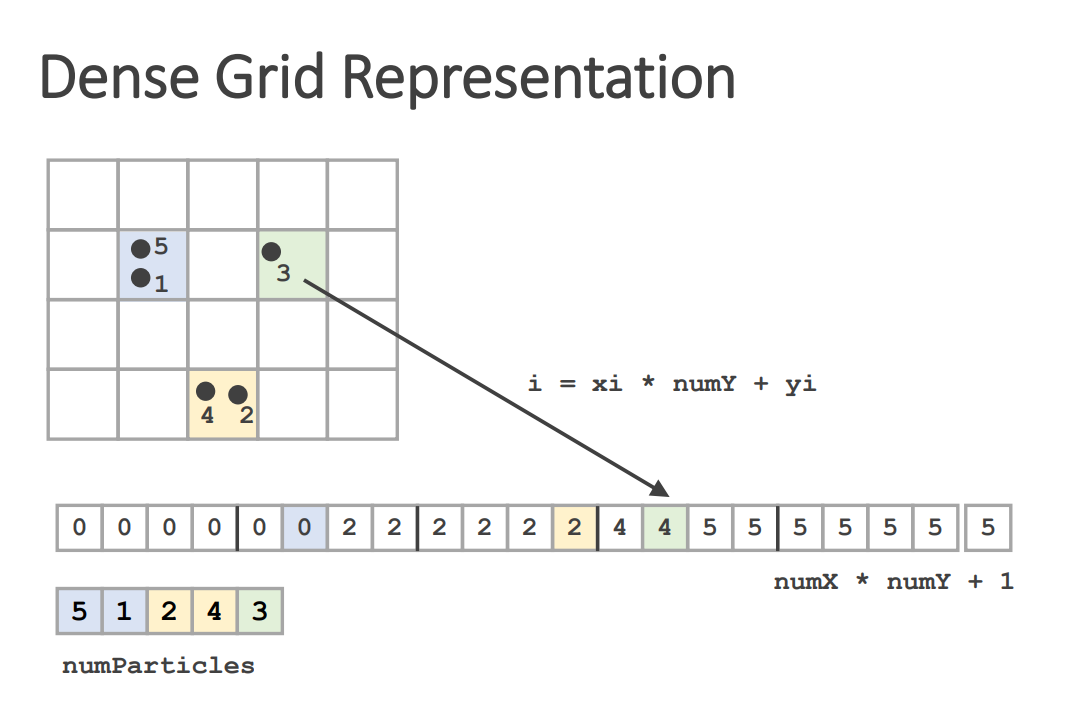
With this partitioning, if we engineer the cell size in this grid to be at least as large as the diameter of each particle, we can ensure that we only have to check the particles contained in the neighboring 3x3 cells for particle collisions. With this, we can reduce the runtime from \(O(n^2)\) down to a swift \(O(n)\).
Terrain Collisions
To implement terrain collisions, we used signed distance fields (SDFs), as they allowed us to easily determine when and how each particle is colliding with the terrain by just sampling a texture. Textures have the added benefit of being easy to sample and edit in runtime.
A distance field is a scalar field of the distance to the nearest point on some object. Given a set of points in the 2D plane that define an object as a subset \(S\subseteq \mathbb{R}^2\), the distance outside this object (\((x,y)\not\in S\)) can be written as:
The distance inside the object (\((x,y)\in S\)) can be written as:
Outside the object, this is the distance to the closest point inside the object. Inside the object, this is the distance to the closest point outside the object. These functions can be combined into a final signed distance \(d\), the function that maps points inside the object to \(-d_{\text{in}}(x,y)\) and points outside the object to \(d_{\text{out}}(x,y)\).
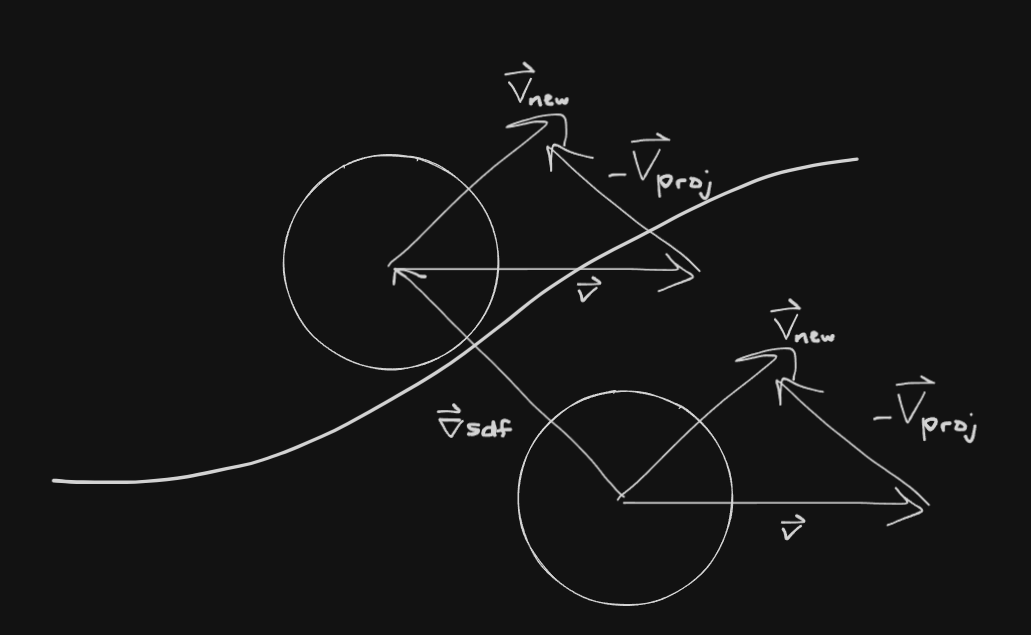
In order to handle collisions, we first sample the distance for each particle. The distance is less than the particle radius if and only if the particle is intersecting with the terrain boundary. If a given particle is intersecting, calculate the gradient of the distance field and move the particle based on its distance to the outside (plus its radius). This is an approximation that worked pretty well.
In addition to moving the particle, we removed the velocity component that faced into the terrain (for it to behave like a damp collision). This was done by projecting the velocity onto the gradient and subtracting the result from the velocity (only if the velocity faced into the terrain).
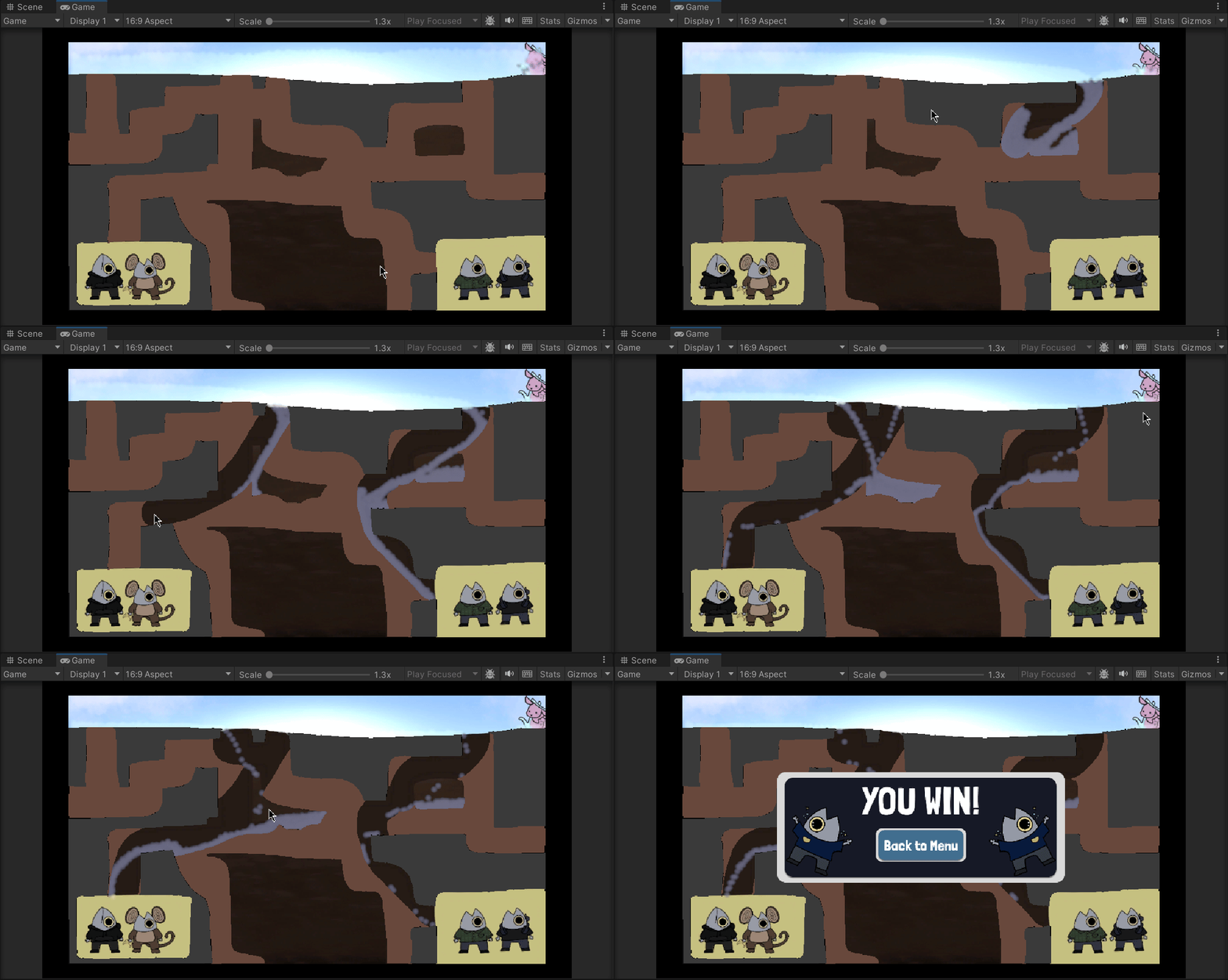
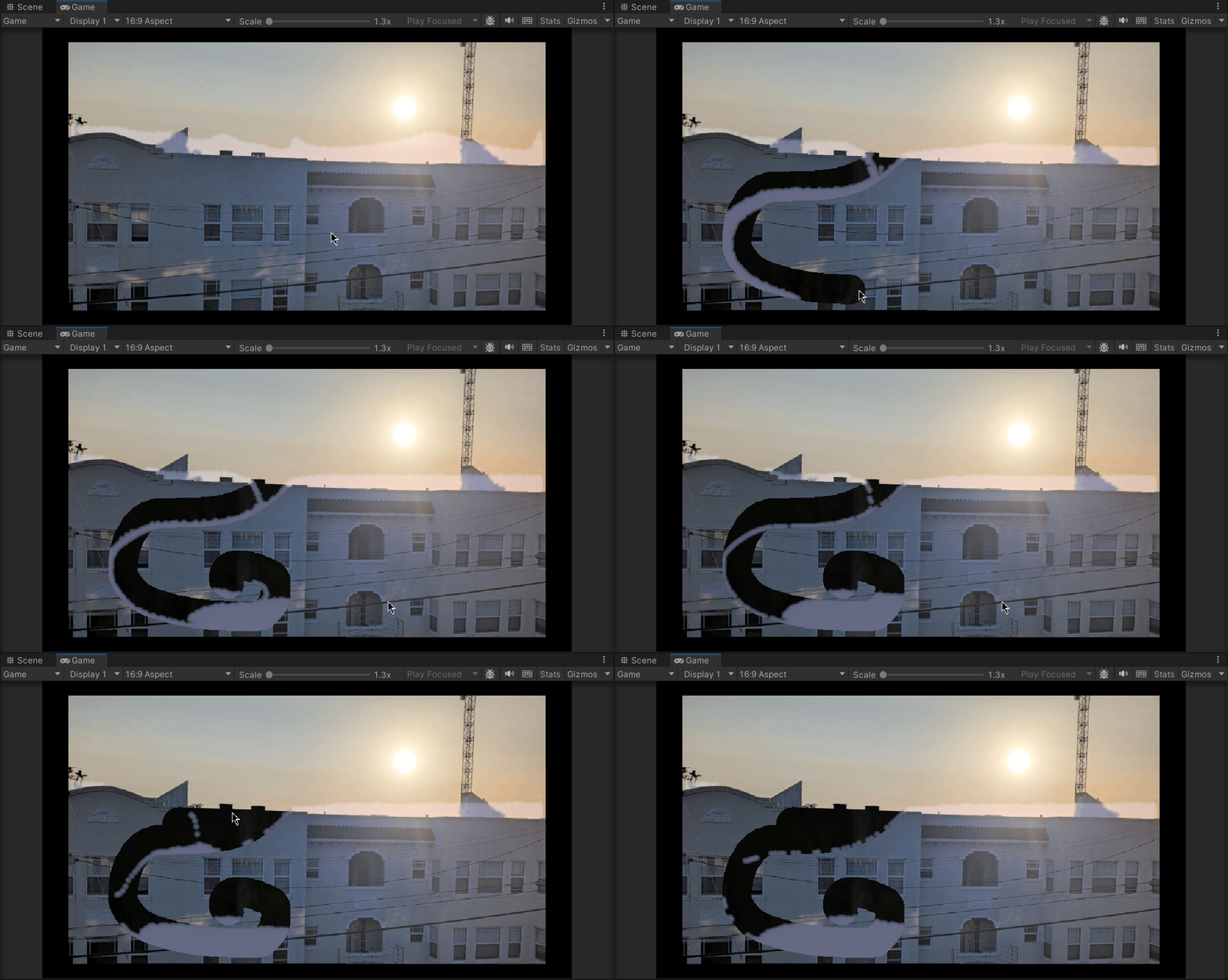
Using SDFs also made editable terrain easy. We were able to implement this by using a GPU shader that takes in the previous terrain SDF and mouse input information. We can then take an implicitly defined distance field (to the mouse position, or a line from the previous to current position) and write the minimum of the implicit distance and previous distance to the texture.
Level Creation
One goal of the project is to make this into a game with multiple levels to demonstrate the effect of fluid dynamics under different terrain layouts. Ideally, levels should be easy to edit by anyone with access to a digital art program like Gimp. We decided to go into the art direction, using one layer for each cell type (e.g. terrain, water, stone, drain). We would then initialize the elements of the simulation by sampling its respective textures.
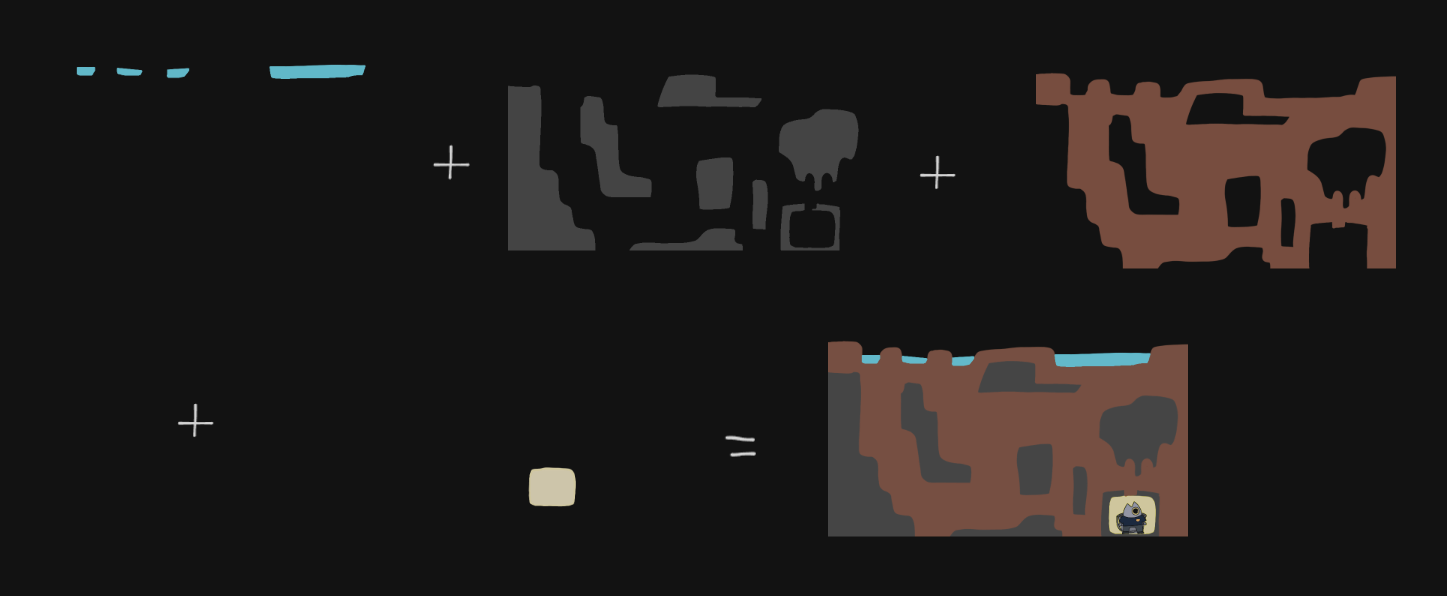
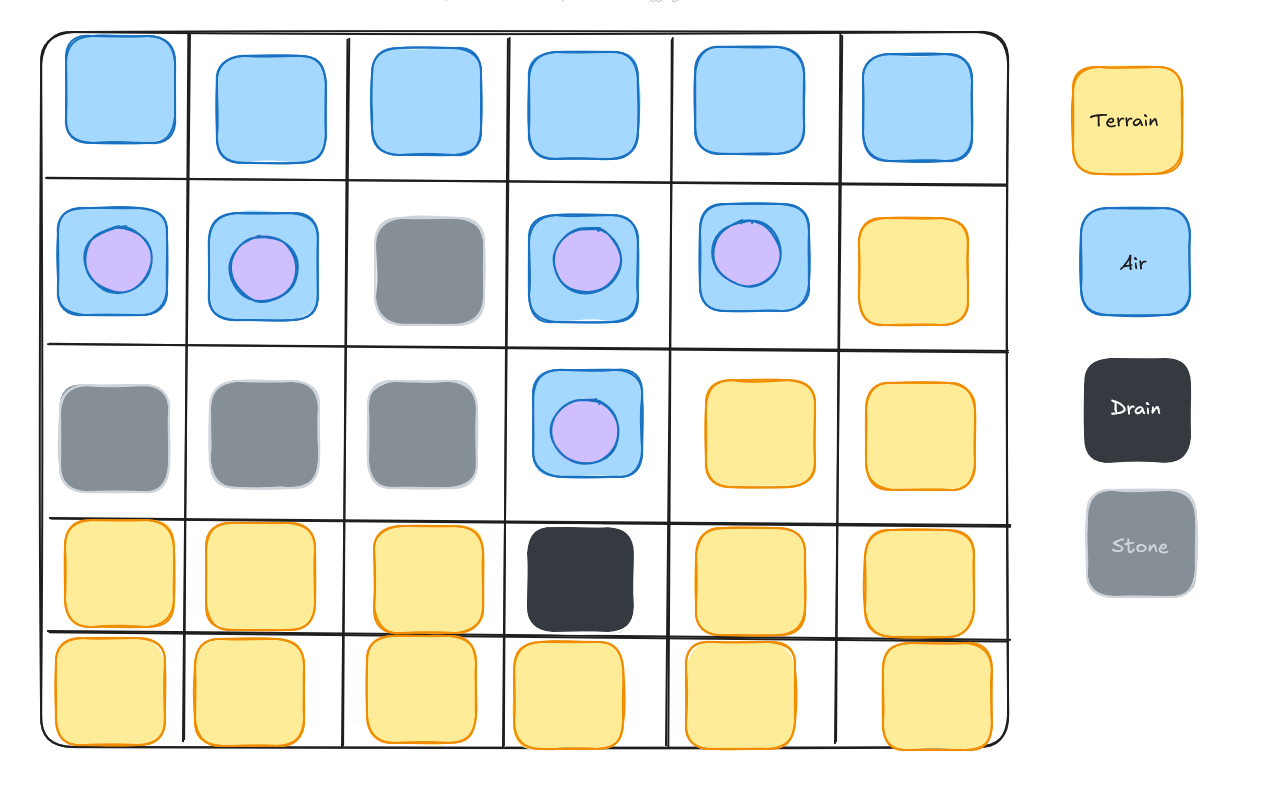
We use a special “drain cell” that would disable any fluid particles that entered the cell and increment a global counter. This approach allowed us to easily map goal areas for each level and specify a specific amount of particles needed to enter for the level to be beaten.
Due to the short deadline, we didn't have time to automate the SDF generation process. Instead, we manually created inside and outside distance fields for each level, per terrain layer, using Gimp. We then combined those textures internally in Unity to create the final SDF texture for the simulation to work with.
Challenges
Initially, we planned to take advantage of the simplicity of compute shaders in Unity to parallelize and speed up our simulation computations. Unfortunately, we only realized halfway through implementation that the PIC/FLIP simulation would require a lot more effort to parallelize, as the velocity transfer required an accumulation of velocities from nearby particles, which would trigger data races when parallelized.
There are certainly workarounds (including map reduce methods), but we didn't think we would be able to achieve our MVP in time if we were to pursue them, so we caved in and switched to an all-CPU approach to produce a working demo. Fortunately, we were able to reuse our compute shader code for modifying the distance field, which allowed us to speed up texture manipulation for terrain destruction considerably.
During development, we realized that the particles move extremely slowly at a target of 60fps. Thinking it was due to a slow computation, we simply switched to a larger time step to achieve a similar speed as the FLIP website demo. Unfortunately, having a larger delta time came at a cost, and we had to spend a long time debugging an unstable simulation later down the line. We eventually figured out that it was not an issue of slow computation, but rather incorrect coordinate systems. The particles had been mapped to a much larger space and simply projected down by the display code to appear normal sized. Once we mapped the coordinates to scale with the screen, everything moved smoothly along at a stable pace.
Lessons
Plan and design carefully before making a bold move, and don't make any assumptions about the model.
Investigate further before settling down on a band-aid solution. Tech debt will always come back to bite you.
Unity is a pain to work with regarding simulations.
Results
References
Contributions
Ann Basil: I worked primarily on the scoring system, particle counting/disabling, level designs, level select, and UI of Mippy and Co's Water Rescue. I collaborated with David on particle counting, disabling, and scoring to create a 'win' condition for the game. I worked with Ben and David on texturing the scene, through scene loading and dynamic drain cell setting. I was additionally responsible for the visual appearance and cohesion of the game, such as the UI, level selection, level design, and our little guy, Mippy.
Ben Bliss: I worked on the terrain collision and destruction. This included signed distance field generation, import, usage and runtime modification. I wrote a circle based distance field modification which Jinkang extended to lines (2D pill area). I wrote the terrain rendering which uses the distance field and terrain texture. I implemented the multi-layered terrain editing, where some terrain could not be destroyed. I also extended the particle rendering to sample the background for the simple stylized refraction effect.
David Hernandez: I created a level loader which would take in a texture that would display where the water would be in a standard level, and map the grid cells to reflect that. We did this for terrain initialization, water initialization and drain initialization so that new levels were simple to implement and can be added on to each level just by taking in images. I also worked on particle counting and the scoring system. Essentially I defined cells of type drain, and when a particle interacted with one of these cells, the score would be incremented, and the particle would be removed.
Jinkang Fang: I set up the project in Unity, borrowing a simple particle renderer code and some boilerplate code to get us started with using compute shaders. I also worked on the FLIP fluid simulation, with some code snippets taken from Ben's initial work on the Eulerian fluid simulation. Afterwards, I modified the particle renderer so the water particles blend together to create a smoother water volume, and extended the terrain destruction code to destroy terrain within a pill shaped area between current and previous mouse positions, which created a smoother experience, especially under low framerates.